Free print-in-place models, and how to get them moving
Short answer
Shapekit has two free print-in-place models: a tracked tank (71 parts in one print) and a three-ring gyroscope. Both are a single STL with 0.4 mm gaps between the parts, print without supports at 0.2 mm layers and need no screws. They are free for personal use under CC BY-NC 4.0, without an account.
- Models
- Tank, gyroscope
- Gap between parts
- 0.4 mm
- Layer height
- 0.2 mm, not thicker
- Supports
- None
- Price
- Free, no account
The two print-in-place models
-
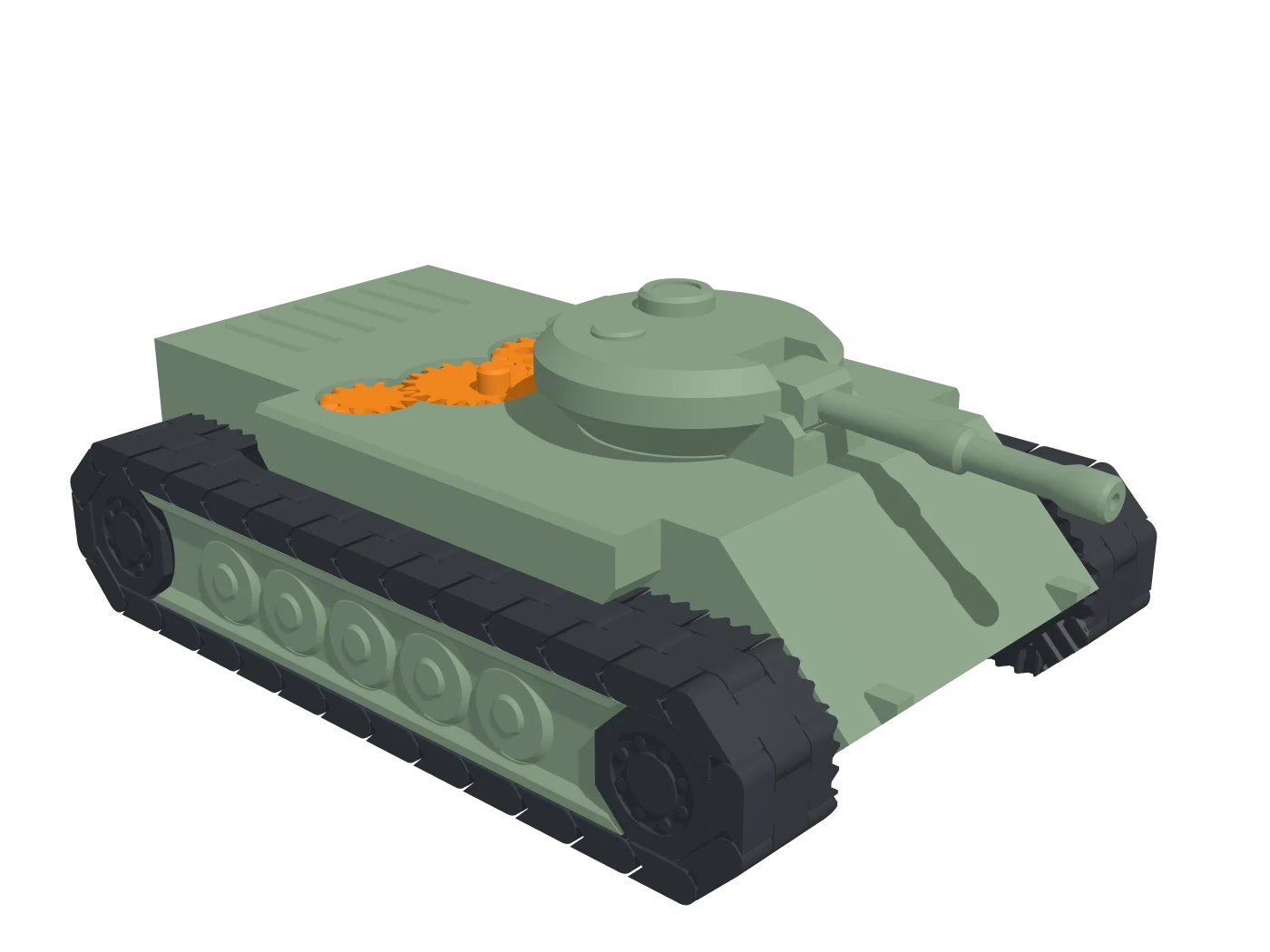
Print-in-place tank
60 track links, 4 wheels, a herringbone gear train with a crank, a turret that turns all the way round and a gun that tilts. One turn of the crank drives it 84 mm.
-
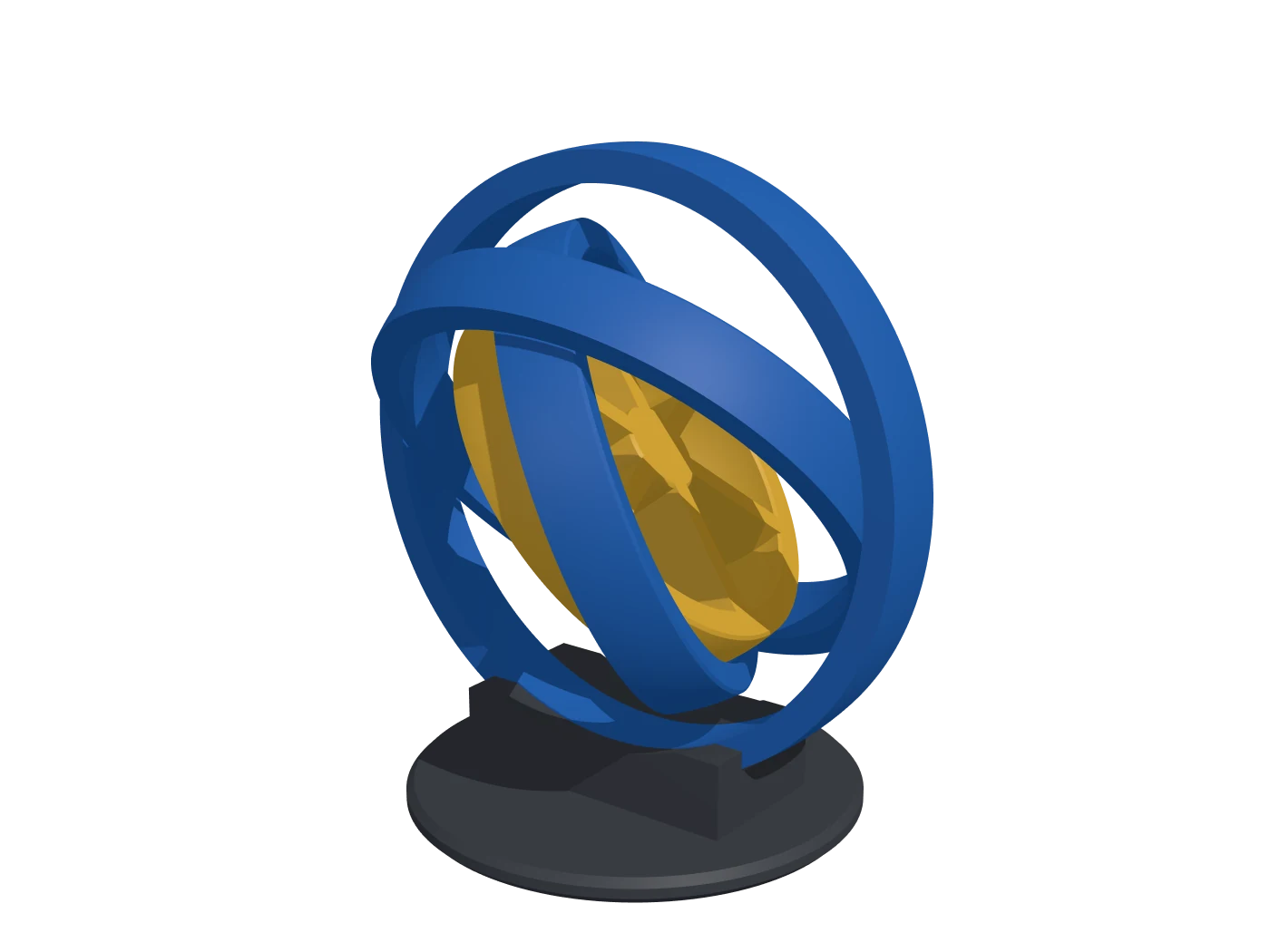
Print-in-place gyroscope
Three rings and a spoked flywheel, each hanging on two cone pins. The rings are cut from hollow spheres, so they never touch however they turn. With a desk stand.
| Tank | Gyroscope | |
|---|---|---|
| Parts in the print | 71, plus a stand you slide out | 4, plus a separate stand |
| Size as printed | 203 × 137 mm, 121 mm tall | 120 mm across, 14 mm tall |
| Smallest printer | 210 × 140 mm bed, 125 mm height (A1, P1S, X1, MK4, Ender-3) | 120 × 120 mm (fits an A1 mini) |
| Filament | ≈ 0.6 kg PLA | ≈ 120 g PLA with the stand |
| Bought parts | None | None |
Models that go together without screws
Not printed in one piece, but put together by hand in a minute, with no screws, glue or bearings:
- Iris box: six blades that open to a 50 mm hole when you turn the ring; the ring holds itself on with three printed snap arms.
- Planetary gears: a 5:1 herringbone gearbox with a crank, held together by the cover's hooks.
- Marble lift: a tower with a hand-turned screw that carries marbles up, one per turn.
- Laptop stand, headphone stand, bird feeder and mini drawer cabinet: parts that lock with dovetails, bayonets or twist locks.
How print-in-place works
Every moving part is printed in its place with a small gap around it. Three things make that possible without supports:
- A gap the printer can hold open. 0.3 to 0.5 mm sideways is usual; Shapekit's models use 0.4 mm, which is also two layers of 0.2 mm where one part is printed on top of another.
- Cone pins instead of round axles. A 45° cone prints without supports and cannot be pulled out of its socket, so the joint stays together after printing.
- Short bridges. A part that starts above another one begins with a bridge over the two-layer gap, so the cooling fan has to be on.
How to print one so that it moves
- Check your fit first. Print the free tolerance test with the filament you will use: if a 0.4 mm gap is a sliding fit on your printer, the joints will turn.
- Watch the first layer. A squashed first layer (elephant's foot) welds the lowest joints to each other. Turn on elephant's foot compensation, about 0.1 mm, or raise the first layer a little.
- Use 0.2 mm layers. Thicker layers close the vertical gaps; thinner ones are fine but take longer.
- Keep the part cooling fan on and print without a brim, so nothing sticks the edge joints together.
- Free every joint by hand before you crank or spin anything: bend each link both ways and turn each ring. That breaks thin strings in the gaps.
Good to know
Can I scale a print-in-place model?
Bigger works, as the gaps grow with the model. Smaller is risky: at 80% a 0.4 mm gap becomes 0.32 mm, and many printers close that. Print the tolerance test first if you want to go smaller.
Does PETG work?
PLA is what the gaps are made for. PETG strings more and sticks to itself more, so joints can come out stiff; if you try it, print slower and cooler and free the joints right after printing.
Can I print the tank in more than one colour?
Yes. In Bambu Studio or OrcaSlicer, split the object into its parts and give the tracks and gears another filament.
Have these models been printed?
Not yet. The gaps, the motion of every part and each printed layer are checked by a program, but no test print has been made. If you print one, the model page has a form for a photo and a note on how it went.
Are they free?
Yes. Download the STL without an account. They are free for personal use under CC BY-NC 4.0: print, remix and share them with credit, but don't sell the files or the prints.