
Free 3D model

Open Gear Wall Clock

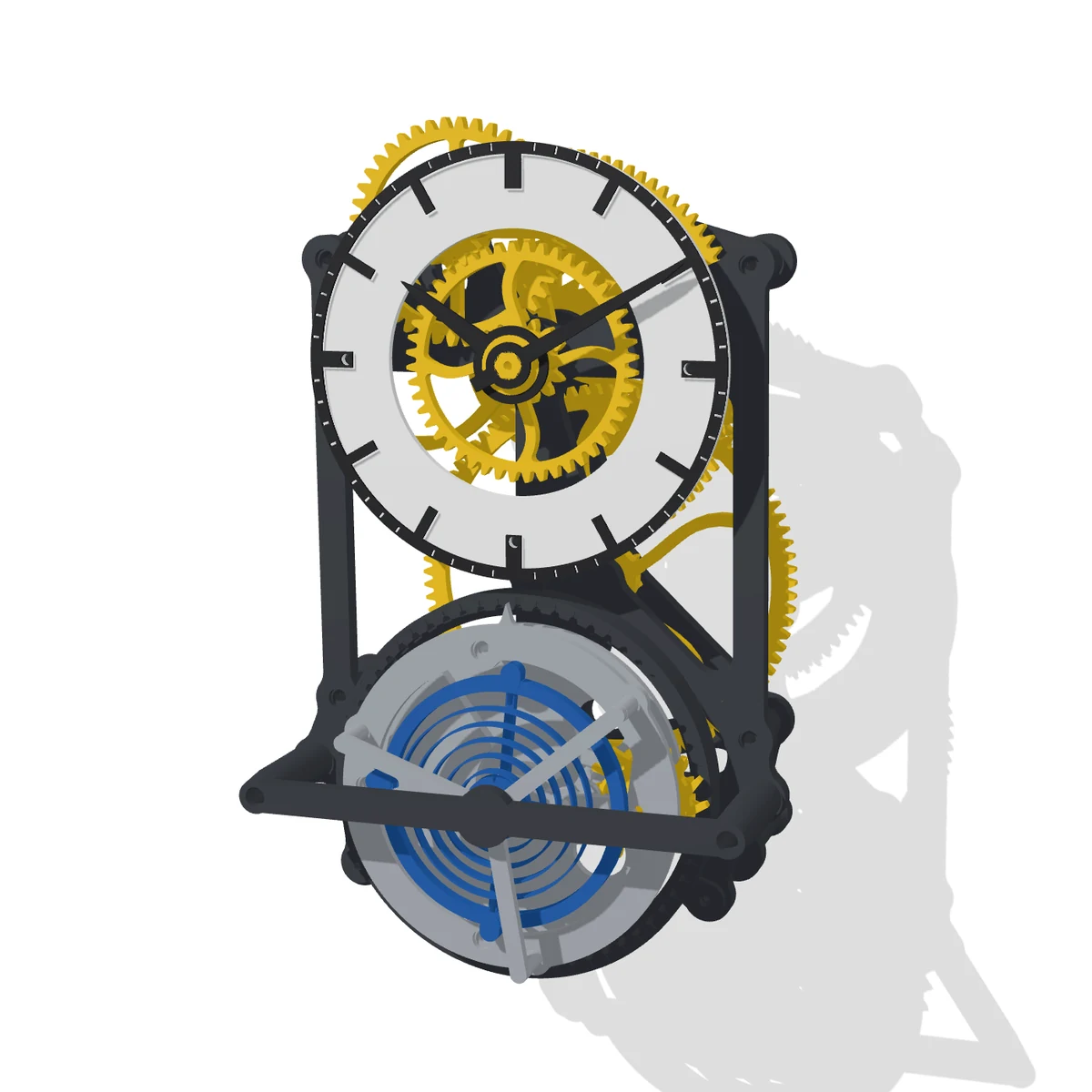
A cheap quartz movement does the timekeeping; the printed gears in front of it do the rest, where you can see them. The minute hand sits on a 20-tooth wheel that turns once an hour. It drives the big gear at the bottom, 60 teeth, once in three hours, and that gear's 16-tooth pinion turns the 64-tooth hour wheel back on the centre: 3 × 4 = 12, so the ring of numbers goes round once in 12 hours. The number at the arrow on top is the hour. On the seconds pin a light wheel shaped like an escape wheel turns once a minute. The printed wheels hold the movement's own hands, cut down to short stubs, so they fit whatever movement you buy.

  • 6printed parts
  • 2 × 18 × 18 cmassembled (L × W × H)
  • ≈ 0.1 kgfilament in total
  • 180 × 180 mmbed size for the frame (fits an A1 mini); the gears fit a 100 mm bed
Download all files ZIP · 1.6 MB

Free for personal use under CC BY-NC 4.0: print it, remix it and share it with credit to Shapekit. Please don't sell the files or the prints.

Take it apart in 3D · Parts · How to build it

In 3D

Turn it, take it apart

Every part as you print it. Pick colours to see what your filament will look like.

The 3D model (4.5 MB) loads when you get here.

Preview colours

Frame
Hour wheel
Drive gear and seconds wheel
Minute hand

Drag to rotate · scroll or pinch to zoom

In the download

6 parts, ready to print

Every STL is already placed the right way up. Download them all at once, or one by one.

Frame

A 180 mm ring with 60 minute ticks, three spokes and a centre disc that hides the movement. The movement's neck goes through the middle, and round its nut stands the boss the hour wheel turns on. Below it is the post for the drive gear (an M3 nut goes in from the back), and at the top the arrow that points at the hour.

Size
180 × 180 × 14 mm
Print
Back down, ticks up. No supports. Change to a light filament at 5.4 mm for white ticks and arrow.
Filament
≈ 60 g
STL 0.9 MB: Frame

Hour wheel

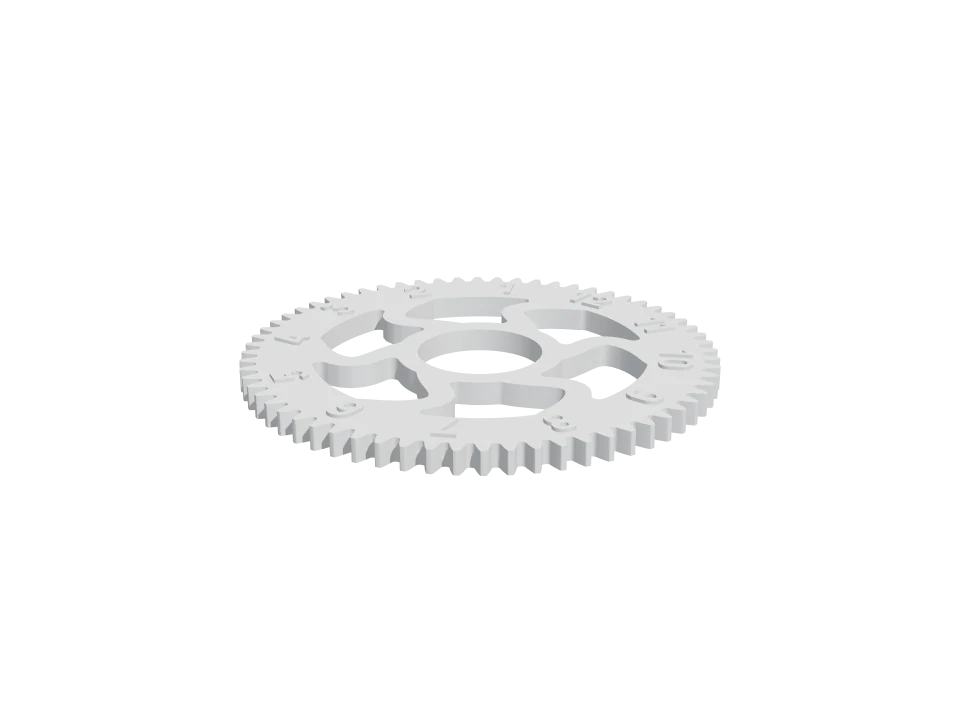
64 teeth and the numbers 1 to 12, raised 0.6 mm. It turns clockwise once in 12 hours on the boss, driven by the pinion of the drive gear; the number under the arrow is the hour.

Size
82 × 82 × 5 mm
Print
Flat, numbers up. Change filament at the first layer of the numbers for dark numbers on a light wheel.
Filament
≈ 15 g
STL 0.9 MB: Hour wheel

Drive gear

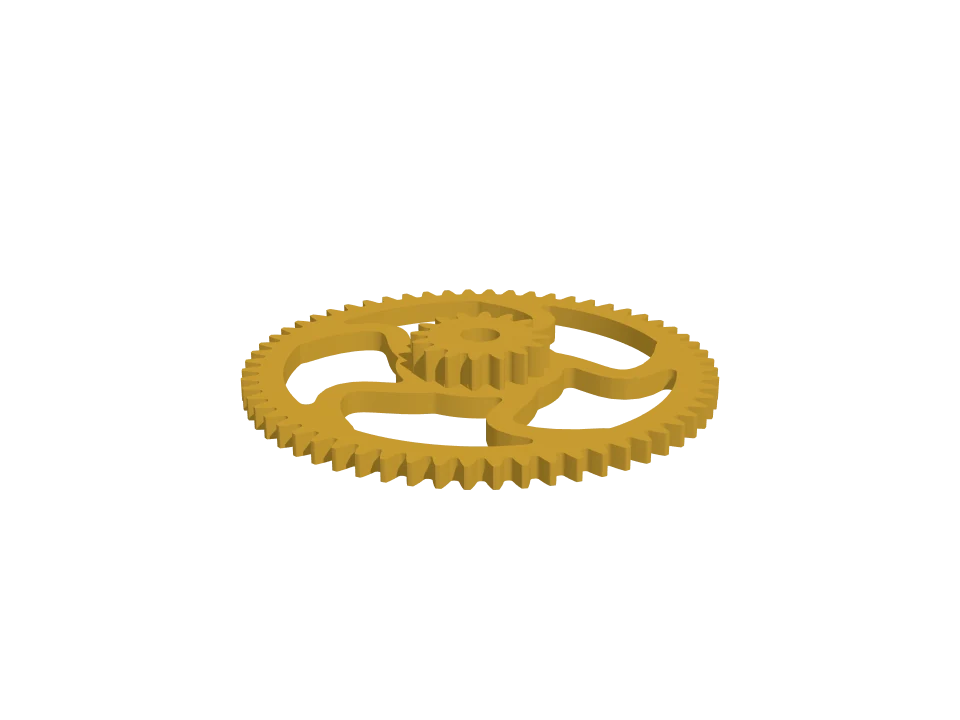
A 60-tooth wheel and a 16-tooth pinion in one piece. The minute wheel drives the wheel, the pinion drives the hour wheel. It turns on the post once in three hours, held by an M3 × 14 screw and a washer.

Size
77 × 77 × 9 mm
Print
Wheel down, pinion up. No supports.
Filament
≈ 12 g
STL 0.9 MB: Drive gear

Minute hand

A 20-tooth wheel with the 84 mm minute hand and its round counterweight, balanced on the shaft. The stub of the movement's own minute hand is glued into the pocket on top, so it fits any movement.

Size
133 × 29 × 10 mm
Print
Hand down, teeth up. No supports.
Filament
≈ 7 g
STL 0.3 MB: Minute hand

Seconds wheel

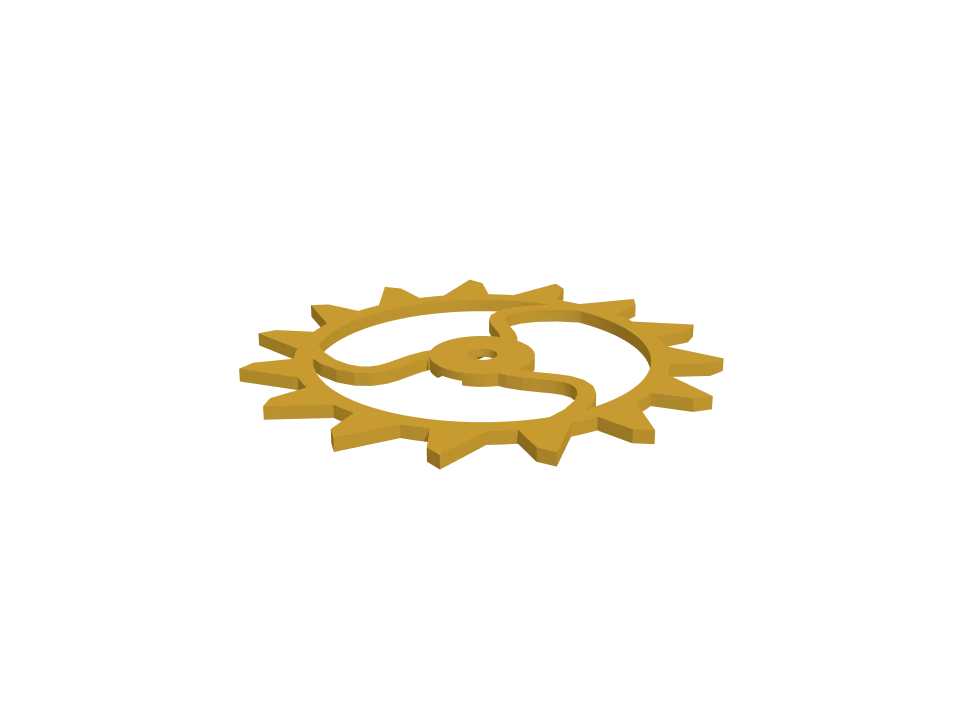
A thin wheel with 15 hooked teeth, like the escape wheel of a mechanical clock, 50 mm across and about a gram. The stub of the movement's seconds hand is glued into the slot underneath.

Size
50 × 49 × 1 mm
Print
Flat. 0.12 mm layers make the teeth crisp.
Filament
≈ 1 g
STL 0.1 MB: Seconds wheel

Shim ring

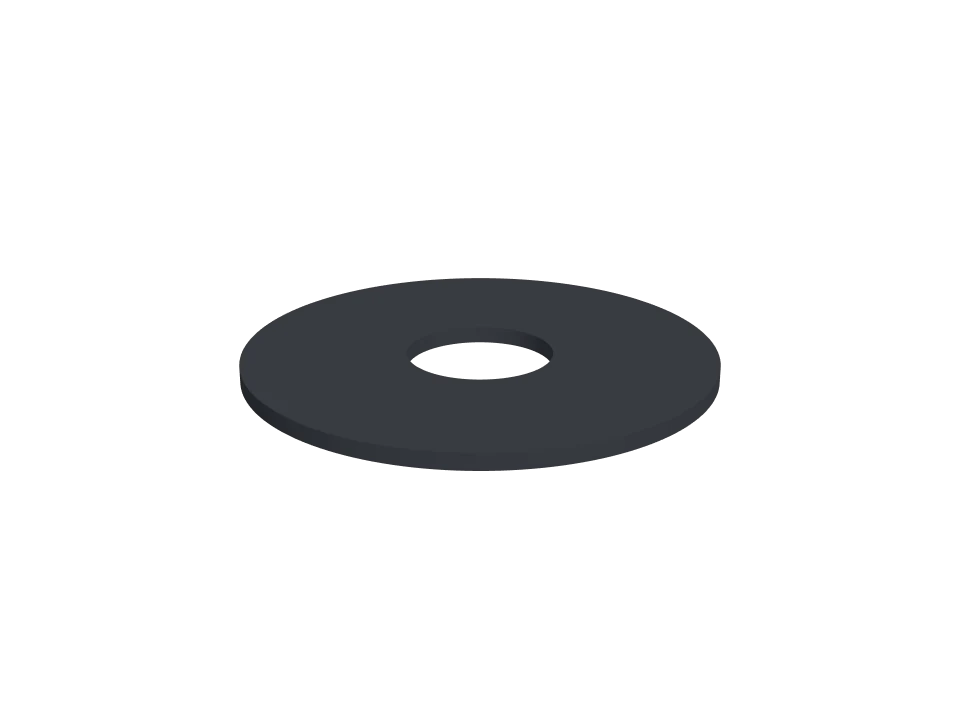
1 mm ring that goes between the movement and the back of the frame. Only needed when the movement's shaft is long (see the assembly steps); print one to three.

Size
28 × 28 × 1 mm
Print
Flat.
Filament
≈ 1 g
STL 64 KB: Shim ring
Also needed

Parts you buy

  • A quartz clock movement with a 22 mm shaft, the kind sold for dials up to 6 mm thick, with its hands. Take a sweep (silent, continuous) one: then the seconds wheel glides round instead of ticking.
  • An AA battery for the movement.
  • An M3 × 14 button head screw, an M3 washer and an M3 nut.
  • Glue: super glue gel or two-part epoxy, and side cutters or tin snips to cut the hands.
Print settings

Slicer settings

0.16 mmlayer height for the gears, 0.2 mm for the frame
3walls
15%infill
PLAor PETG

For a 0.4 mm nozzle. Filament amounts are estimates for these settings.

Assembly

How to build it

Print

Print the frame and the four moving parts. Clean the teeth: a thin string or blob on a tooth is enough to stop a quartz movement.

Cut the hands

Cut the movement's minute hand to a stub 13 mm long on the pointer side and 9 mm on the tail side of its hole, and the seconds hand to a short stub round its little tube. Lay the minute stub in the pocket on top of the minute hand, pointer side towards the tip, and glue it in. Glue the seconds stub into the slot under the seconds wheel. Keep the glue out of the holes.

Movement in the frame

Push the movement's neck through the middle of the frame from the back, with its hanger at the top, and screw its nut on from the front. Push an M3 nut into the hex pocket on the back of the drive gear post.

Find 12 o'clock

Push the minute hand onto the minute shaft for a moment and turn the knob on the back of the movement until it points straight up. Pull it off again without turning the shaft.

Hour wheel and drive gear

Put the hour wheel over the boss with the hour you want to start at under the arrow. Slide the drive gear down the post into mesh with the hour wheel, put the washer on and screw the M3 × 14 in from the front: snug, the gear must still spin freely.

Minute hand and seconds wheel

Push the minute hand back on, pointing at 12, turning the drive gear a hair until the teeth slide in, and put the movement's cap nut on if it has one. The gap between the minute hand and the screw head should be 0.5 to 3 mm: if it is more, take the movement out and put one or two shim rings behind the frame. Then push the seconds wheel onto the thin seconds pin.

Set it and hang it

Put in the battery and set the time with the knob on the back: the hour wheel follows. Hang the clock on a nail by the movement's own hanger.

Small parts: not for children under 3. Keep the battery away from small children.

Good to know

How do I read the time?

The red hand is the minute hand, read against the ticks on the ring as on any clock. The hours are the numbers on the white wheel: the number at the arrow on top is the hour. Halfway through an hour the arrow points between two numbers, so at 4:30 it sits between 4 and 5.

Why not just put an hour hand on the movement?

The movement turns its own hour tube, but here it is left empty. The minute hand turns the drive gear, and the drive gear turns the hour wheel: 60/20 × 64/16 = 12, so you can watch the 12 : 1 that a clock normally hides.

Which clock movement do I need?

A standard quartz movement (56 × 56 mm) with a 22 mm shaft, the kind sold for dials up to 6 mm thick. A sweep (silent) movement is best: it is quiet and the seconds wheel glides round. The wheels hold stubs of the movement's own hands, so the sizes of its shafts do not matter.

Is the movement strong enough to turn the gears?

Yes. The minute shaft turns the train, and every step down makes the load lighter: the friction of both gears comes to about 0.14 mN·m at the minute shaft, far less than an ordinary long minute hand. The minute hand is balanced by its counterweight and the seconds wheel weighs about a gram.

Has it been printed?

Not yet. The fits, the mesh of the gears through 12 hours and the order of assembly are checked by a program, but no test print has been made. If you print it, we would love to see a photo.